IRC: What It Is, How It Works, and How to Get Started
What is IRC?
IRC (Internet Relay Chat) is a group chat protocol. Discord, Slack, and Microsoft Teams all borrowed from it. Channels, direct messages, bots, integrations. IRC had all of it decades earlier.
The difference is that IRC is an open protocol. Nobody owns it. There are no ads, no tracking, no vendor lock-in. You pick a network, pick a client, and go. You can run your own server if you want.
Plenty of people still use it daily. The Linux kernel, Arch Linux, and many other open-source projects run their communities on IRC.
For more background, see the Wikipedia article on Internet Relay Chat.
How IRC works
Networks and channels
IRC is split into independent networks. Each network is a group of linked servers. You connect to one and can talk to everyone else on that network. There are many networks out there, each with its own communities.
Chat happens in channels, which are chat rooms prefixed with # (for example, #thelounge). Anyone can create one. Channel operators (@) set the topic, moderate, and manage access. You can also message people directly. Most channels are open and free to join.
How it’s different from Discord and Slack
The big difference is control. Discord and Slack are closed platforms owned by a single company. IRC is an open protocol. Anyone can run a server, anyone can write a client, and nobody can shut the whole thing down.
The protocol keeps evolving too. The IRCv3 Working Group builds backward-compatible extensions: message history, server-provided timestamps, typing indicators, reactions, read markers, away notifications, and WebSocket support for browser-based clients.
The tradeoff has always been convenience. Traditional IRC clients are desktop or mobile apps that disconnect when you close them. Messages from while you were offline are gone. People have worked around this with bouncers, which are proxy software like ZNC that stays connected on your behalf and replays missed messages. But that means running and maintaining a separate piece of software. Web-based clients let you chat online from a browser, but most are ephemeral. Close the tab, lose the session.
The Lounge: IRC for the modern web
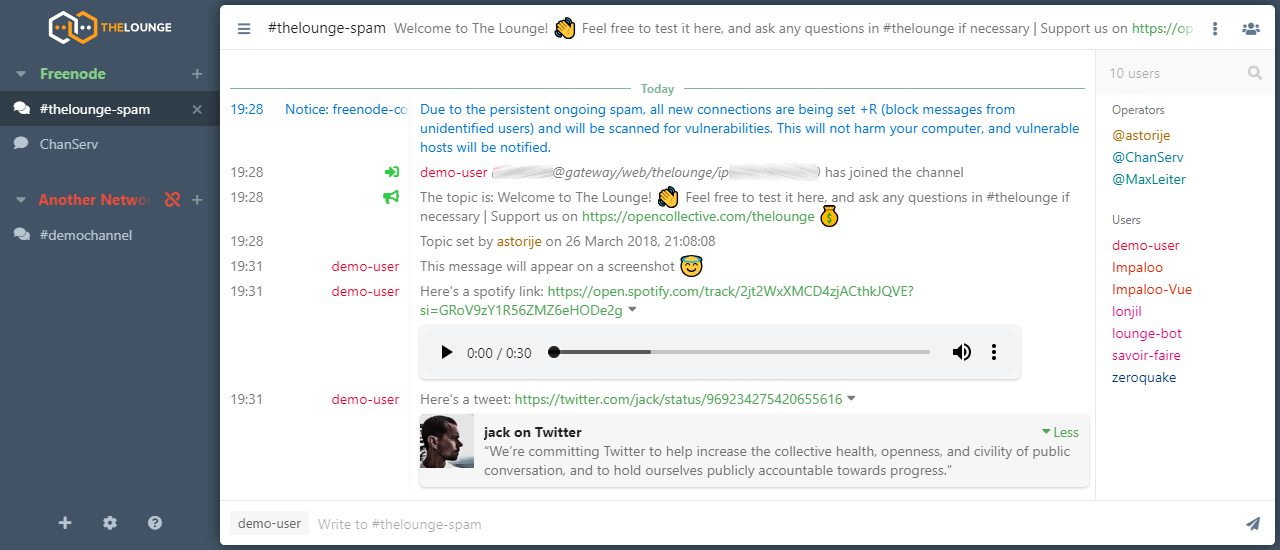
The Lounge is an open-source, self-hosted web IRC client that runs in your browser. It acts as its own bouncer: it keeps a persistent connection to IRC on your server even when you don’t have it open, preserves your scrollback across restarts, and lets multiple devices connect at the same time. Open it from any device and continue where you left off.
It supports push notifications, file uploads, link previews, message search, and IRCv3 features. It handles multiple users on a single instance. It is also a fully featured Progressive Web App. You can optionally install it on Android, iOS, or desktop browsers for a full app experience, but it works just as well in a regular browser tab.
The Lounge is free and MIT licensed.